This guide explains how to order an eSIM through the Pay Just Now (PJN) Mobile App. The process is quick and easy, allowing you to get connected in just a few simple steps. Follow the instructions below to complete your eSIM order and start enjoying PJN Mobile services.
An eSIM (embedded SIM) is a digital SIM card built directly into your phone — no physical card required. You can order a PJN Mobile eSIM in minutes through the PayJustNow app via the PayJustNow Mobile section.
Before you start: Make sure your device supports eSIM. Not all phones are compatible. The app will let you check compatibility during the order flow — if your device is not supported, select the Physical SIM option instead.
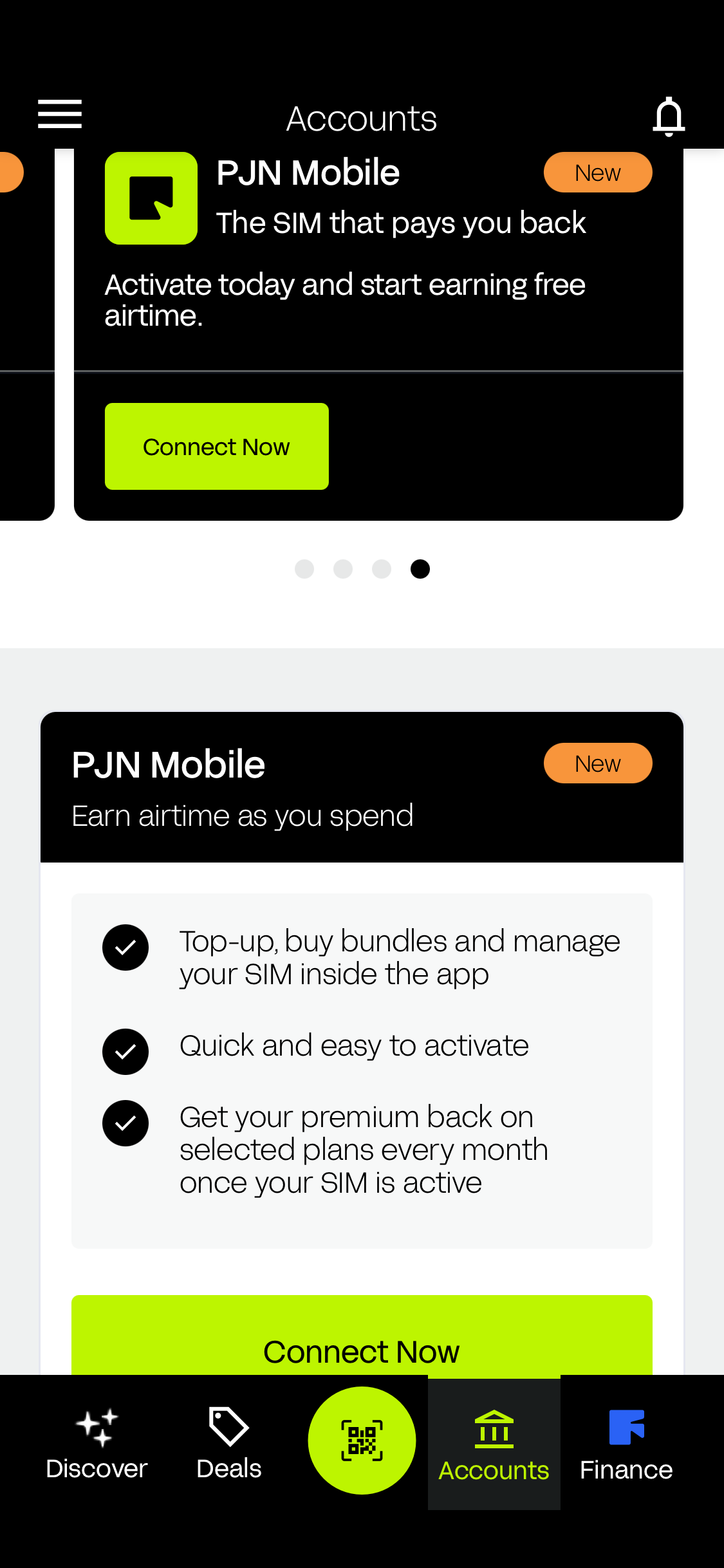
Step 1: Open the PayJustNow App — Tap 'Get Connected'
Open the PayJustNow app on your phone and navigate to the Mobile section. You will see the PJN Mobile landing screen — 'The SIM that pays you back'. Tap Get Connected to begin.
Step 2: Choose your SIM Type
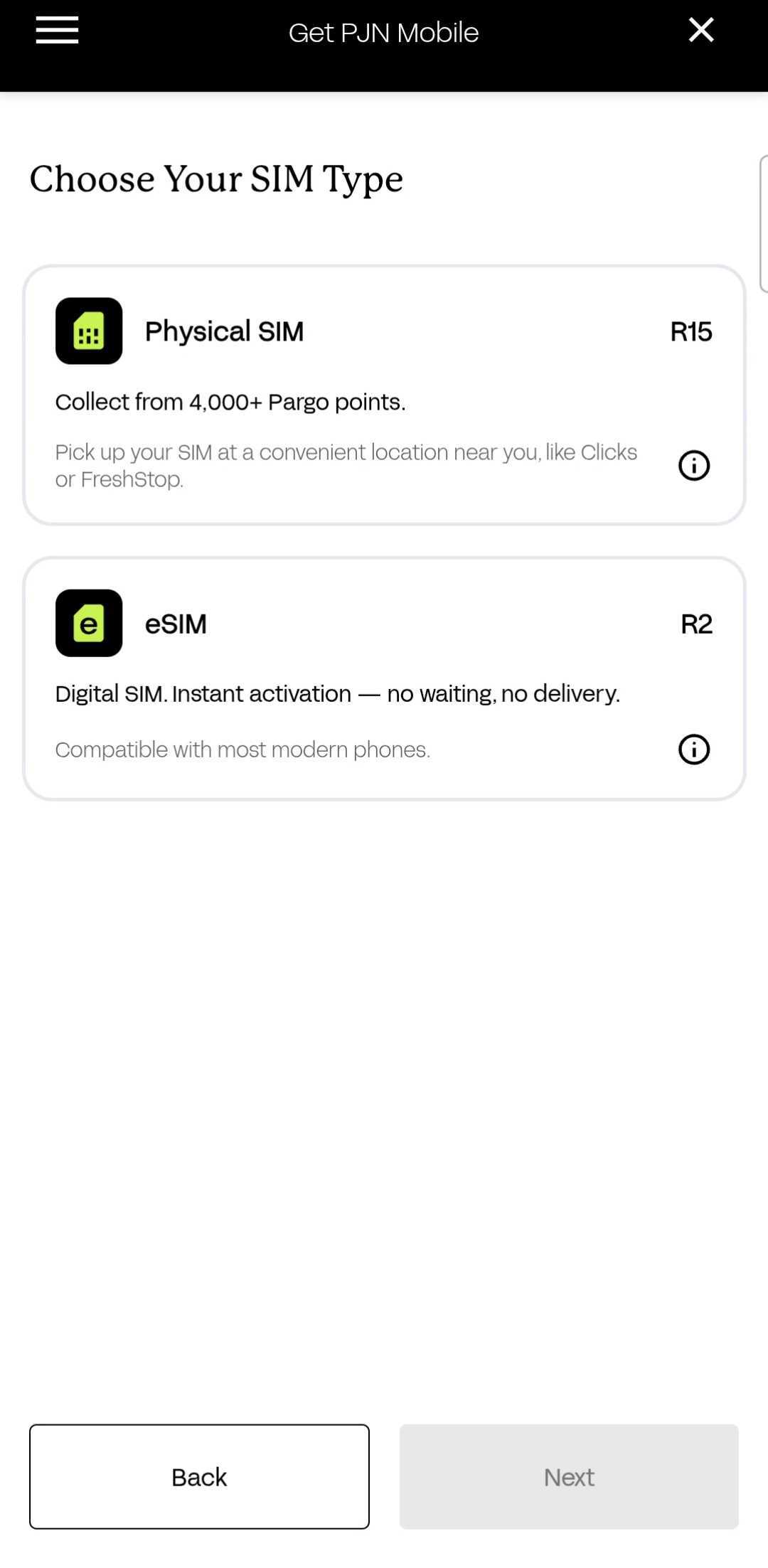
You will be taken to the Choose SIM Type screen. Two options are available:
- Physical SIM (R15) — Collect from 4,000+ Pargo pickup points, including Clicks stores.
- eSIM (R2) — Digital SIM. Instant activation, no waiting, no delivery. Compatible with most modern phones.
Select eSIM, then tap Next to continue.
Step 3: Check eSIM Compatibility — Search and Select Your Device
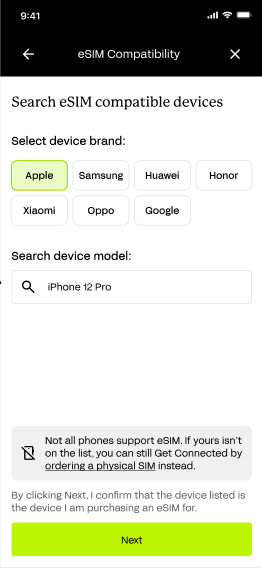
The eSIM Compatibility screen will appear. Use this to confirm your device supports eSIM before completing the order.
If your device does not appear or is shown as incompatible, tap Back and select the Physical SIM option instead.Select your device brand: Apple, Samsung, Huawei, Honor, Xiaomi, Oppo, or Google.
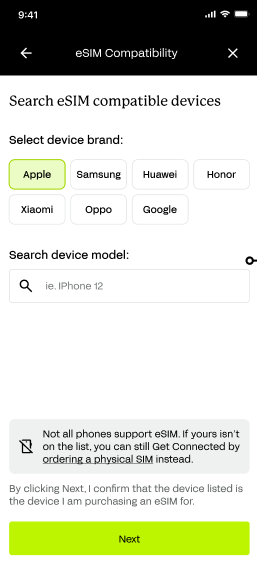
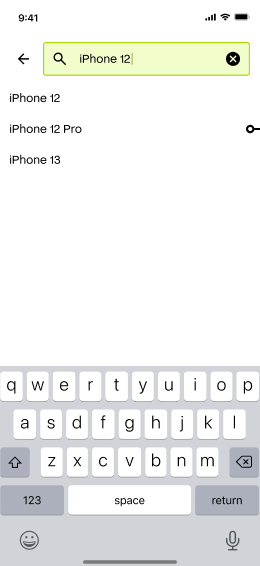
Tap the Search device model field and type your phone model (e.g. iPhone 12).
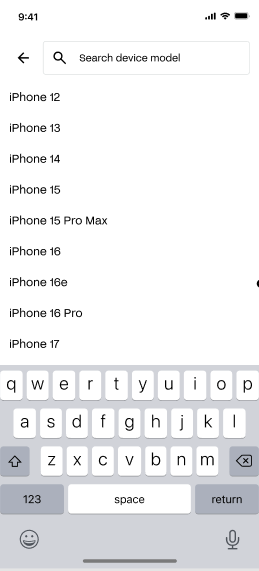
A list of compatible models will appear as you type — select your device.
Step 4: Confirm Your Device
Once your device is found and confirmed as eSIM compatible, it will be displayed in the search field. Double-check that this is the correct device — this is the device your eSIM will be set up for — then tap Next.
Step 5: Review Your Order Summary and Pay
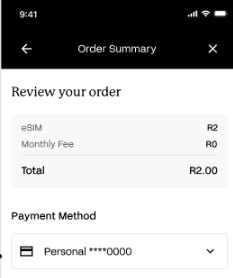
The Order Summary screen will display a full breakdown of your order:
- eSIM: R2.00
- Monthly Fee: R0
- Total: R2.00
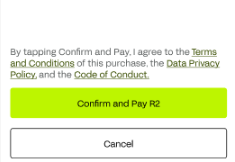
Select your payment method from the dropdown — your linked card will be shown. Confirm you agree to the Terms and Conditions, Data Privacy Policy, and Code of Conduct, then tap Confirm and Pay R2 to proceed.
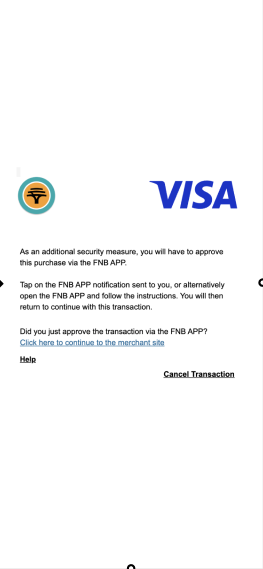
Step 6: Approve the Payment in Your Banking App
Your banking app will prompt you to authorise the R2.00 payment. Switch to your banking app, approve the transaction as you would for any card payment, then return to the PayJustNow app.
FNB Example
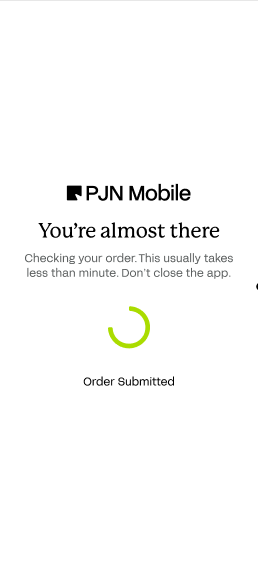
Step 7: Order Submitted — Please Wait
After payment is approved, the app will show a 'You're almost there' processing screen with an Order Submitted status. The system is checking and submitting your order — this usually takes less than a minute. Do not close the app while this is in progress.
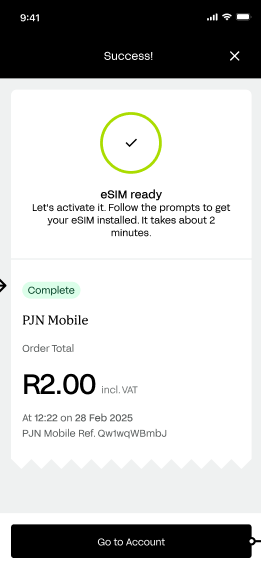
Step 8: eSIM Order Confirmed — Success!
Once your order is confirmed, the Success screen will appear showing
- eSIM ready — your eSIM has been ordered successfully.
- Order Total: R2.00 incl. VAT.
- The date and time of your transaction.
- A unique PJN Mobile reference number for your records.
Tap Go to Account and follow the on-screen prompts to install and activate your eSIM. Activation takes approximately 2 minutes.
WHAT HAPPENS NEXT?
After tapping Go to Account, you will be guided through the eSIM installation process on your device. This typically involves:
- Scanning a QR code or following an automatic activation prompt.
- Adding the eSIM profile in your phone's settings.
- Confirming PJN Mobile as your active mobile plan.
How do I know if my phone supports eSIM? | Use the eSIM Compatibility screen in the app to search for your device. If it is not listed, select the Physical SIM option instead. You can also check your device manufacturer's website to confirm eSIM support. |
Can I switch from eSIM to a Physical SIM later? | Yes. Contact PJN Mobile Customer Support to arrange a SIM swap. |
How long does eSIM activation take? | Approximately 2 minutes after tapping Go to Account and following the on-screen prompts. |
What is the once-off cost of an eSIM? | R2.00 once-off. There is no monthly fee for the SIM itself. |
What if my payment is not approved? | Check your banking app and ensure sufficient funds or card limits. Try again or use a different payment method. |
PROTECTING YOURSELF FROM FRAUD
eSIM ordering involves a payment and personal device information, which makes it a target for scams. Be aware of the following scenarios and never act on unsolicited requests.
Fraud Scenario | What to Do |
Someone contacts you offering to order an eSIM for you, asking for your card or device details | eSIM orders can only be placed by you, in the official PayJustNow app. Never share your card or device details with anyone offering to order on your behalf. |
You receive an SMS or email with a "track your eSIM order" link asking you to log in or enter card details | Do not click links in unsolicited messages. Track and manage your eSIM order only inside the PayJustNow app. |
You're asked to approve a banking OTP for an eSIM order you did not make | Do not approve or share the OTP. Contact PJN Mobile support and your bank immediately, as this may indicate someone has your card details. |
An eSIM order appears on your account that you did not place | Contact PJN Mobile support immediately to report the unauthorised order and protect your account. |
Was this article helpful?
That’s Great!
Thank you for your feedback
Sorry! We couldn't be helpful
Thank you for your feedback
Feedback sent
We appreciate your effort and will try to fix the article